
RW PostViewStats Lite
Lightweight & Privacy-Friendly Post View Tracking for WordPress
Accurately track post, page, and custom post type views using AJAX —
no IP tracking, no bloat, performance first.
AJAX-Based View Tracking
Views are tracked asynchronously via AJAX requests, ensuring zero impact
on page load speed and Core Web Vitals.
Smart Duplicate View Prevention
Built-in 12-hour cookie-based protection prevents repeated views from
the same visitor, keeping your statistics accurate.
Privacy-Friendly by Design
No IP addresses, no personal data, and no user profiling.
Designed to be GDPR-friendly out of the box.
Developer & API Friendly
Includes shortcode support, REST API endpoints, and filter hooks —
perfect for custom themes and headless WordPress setups.
Lite Version Features (Free)
- AJAX View Counting
- 12-hour Duplicate Prevention
- Sortable Admin Columns
- Data Cleaner (by date or post)
- REST API Endpoint /wp-json/rwpsl/v1/views/{post_id}
- Shortcode Support [rwpsl_post_views]
- Privacy Friendly (No IP tracking)
Upgrade to RW PostViewStats Pro
- Multisite Support
- Advanced Analytics & Charts
- CSV Export
- View Milestone Notifications
- Enhanced CPT Support
- Performance Optimizations
Unlock powerful analytics and scaling features for professional sites.
Display Views with Shortcode
[rwpsl_post_views ]
REST API Endpoint
GET /wp-json/rwpsl/v1/views/{post_id}
Fetch view counts programmatically for headless or external applications.
Privacy & Performance First
- No cookies for tracking identity
- No IP or personal data stored
- Minimal database footprint
- AJAX-based async requests
Screenshots
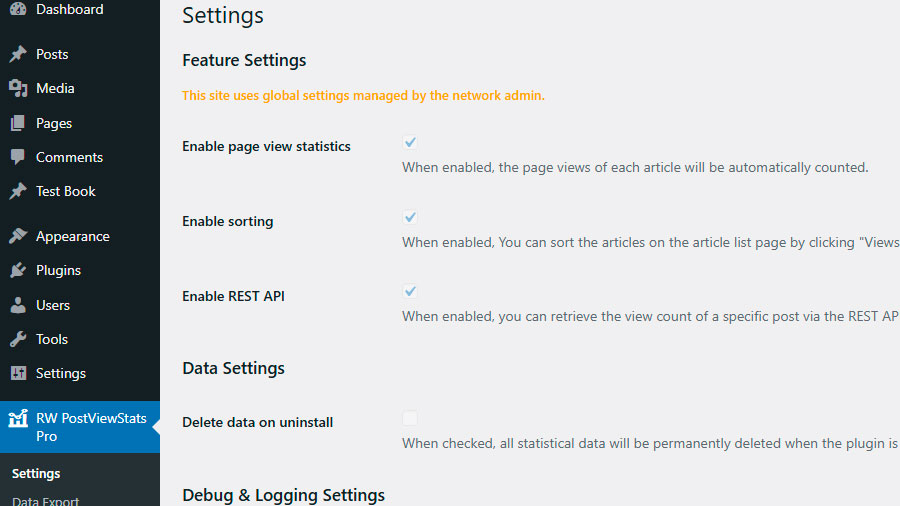
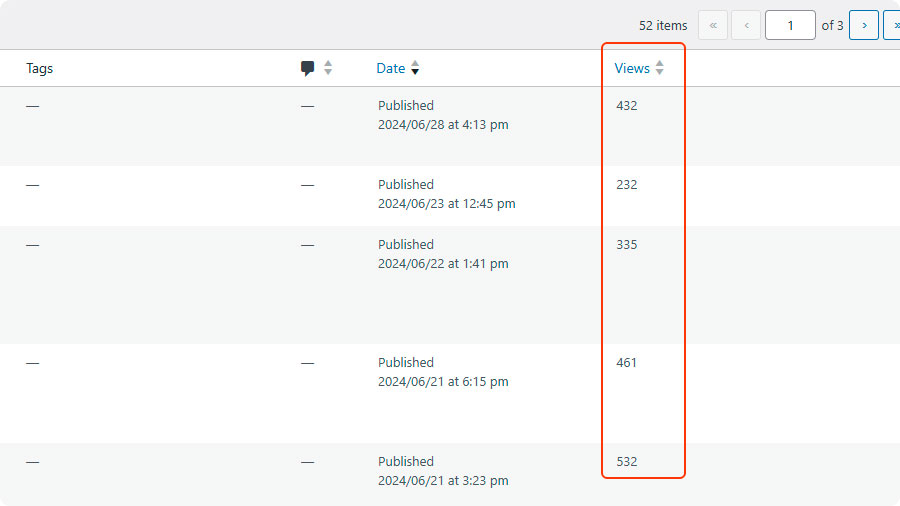
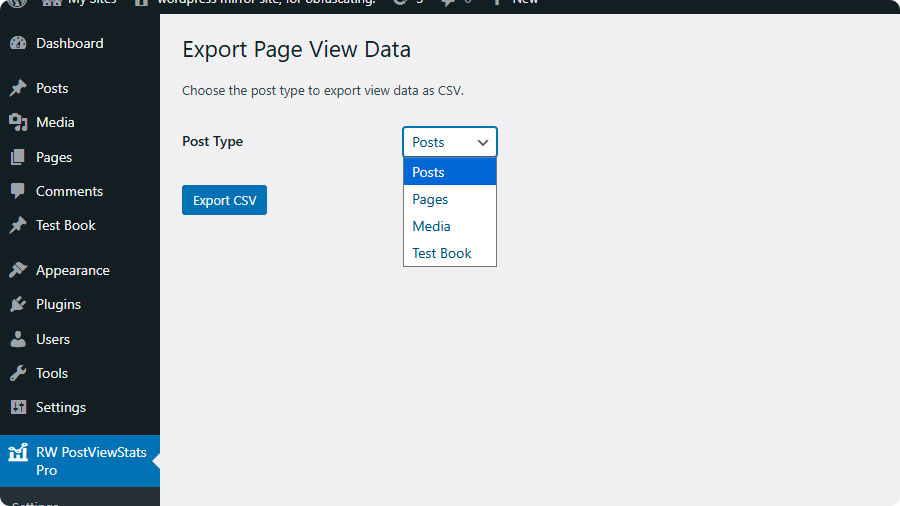

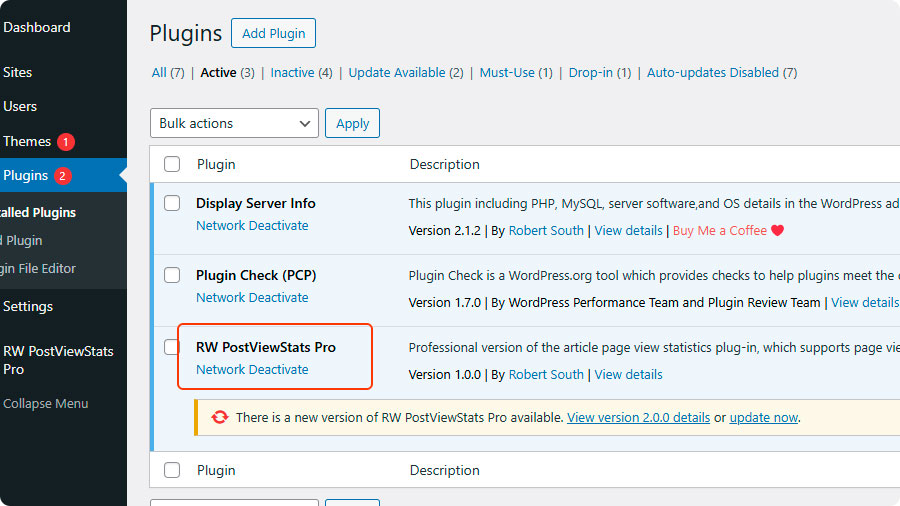
Frequently Asked Questions
Answers to the most common questions about RW PostViewStats Lite.
Q1. Can this plugin track custom post types?
A:
Yes. By default, it tracks the **'post'** and **'page'** types. You can add support for any custom post type using a filter hook in your theme or another plugin:

add_filter('rwpsl_supported_post_types', function($types) {
    $types[] = 'your_custom_post_type';
    return $types;
});
Q2. How are duplicate views prevented?
A:
The plugin uses browser cookies to ignore repeat visits from the same user for 12 hours.
Q3. What data does the plugin collect?
A:
The plugin only stores post view counts in your WordPress database. It uses a cookie to prevent duplicate counting but does not collect any personal information or IP addresses.
Q4. What are the system requirements?
A:
Tested with:
WordPress 6.6 to 6.8
PHP 8.2 to 8.4
MySQL 5.7 to 8.0
Q5. How can I display view counts on my site?
A:
You can use the shortcode [rwpsl_post_views] in posts/pages/widgets, or use the provided REST API endpoint.
Q6. Does this plugin support WordPress Multisite?
A:
Multisite support is available in the Pro version. The Lite version works on single WordPress installations.
Q7. How to add translations?
A:
Copy /languages/rw-postviewstats-lite.pot and create your translation files. Submit your .po file to help improve the plugin.
Get Started in Minutes
Install from WordPress.org
Activate the plugin
(Optional) Configure settings
📋 RW PostViewStats Lite Plugin Privacy Supplement
Last Updated: March 13, 2026
This page supplements the RobertWP General Privacy Policy with specific information about how the RW PostViewStats Lite plugin handles your data.
Data Collected by This Plugin
| Data Type | When Collected | Retention Period | Notes |
|---|---|---|---|
| Anonymous Usage Stats | After you opt in via plugin settings | 180 days | Feature usage frequency, plugin version, PHP version |
| User Feedback | When you voluntarily submit feedback | 12 months | Your feedback message, optional email address |
| Deactivation Feedback | When you uninstall and submit a reason | 6 months | Uninstall reason, optional details |
How This Plugin Differs from Others
| Aspect | RW PostViewStats Lite | Paid Plugins (e.g., with license) |
|---|---|---|
| License Activation | ❌ Not required | ✅ Required (collects domain, email) |
| Payment Processing | ❌ Not required | ✅ Processed via Paddle |
| Feature Tracking | ✅ Anonymous stats only | ⚠️ Varies by plugin |
How to Control Your Data
- In Plugin Settings: Toggle anonymous stats on/off anytime
- When Submitting Feedback: Email is completely optional
- When Uninstalling: You can skip the feedback form
- Deletion Requests: Send to unified email
support@robertwp.com
Links
- Full RobertWP.com Privacy Policy: robertwp.com/privacy-policy
- Contact for Data Requests: support@robertwp.com
About the Developer
 Hi, I’m Cassian Wu.
I build lightweight and reliable WordPress plugins designed to solve real problems without unnecessary complexity.
If you find Display Server Info helpful, your support means a lot and helps keep this project actively maintained.
Support the development of RW PostViewStats Lite.
If this plugin has helped you, your small contribution keeps it actively maintained.