
Display Server Info
Get a Quick Overview of Your WordPress Server Information

What is Display Server Info?
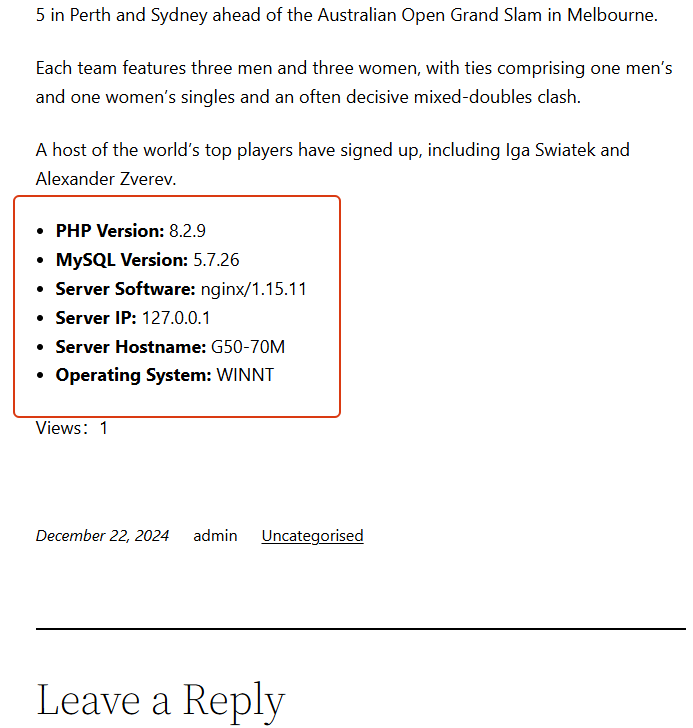
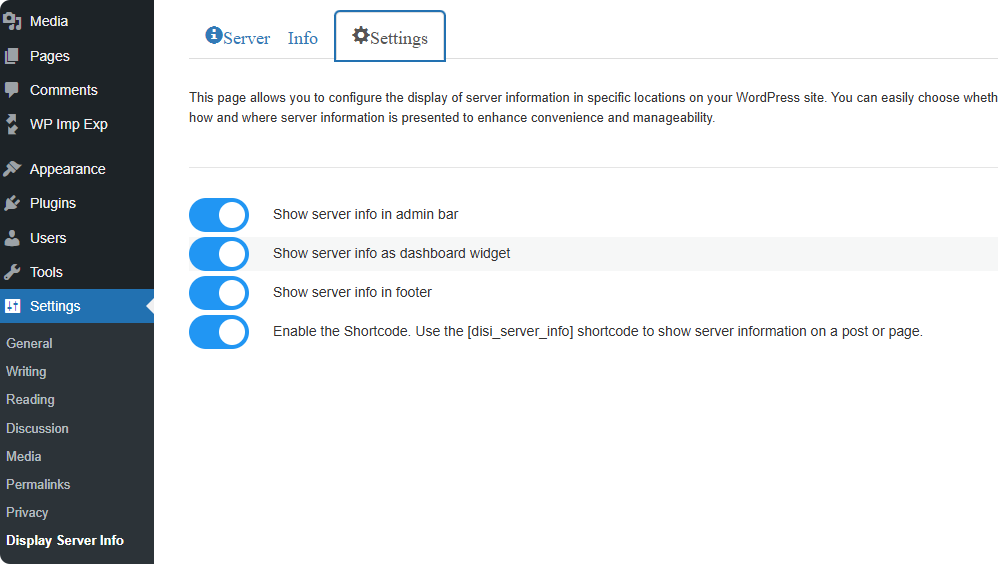
Display Server Info is a lightweight and efficient WordPress plugin that provides site administrators with a comprehensive view of server status. Without accessing phpinfo or your server control panel, you can directly view key information from multiple locations within the WordPress dashboard.
- Dashboard Widget
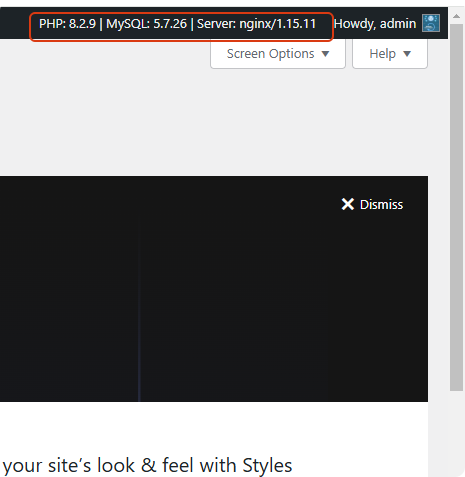
- Top Admin Bar
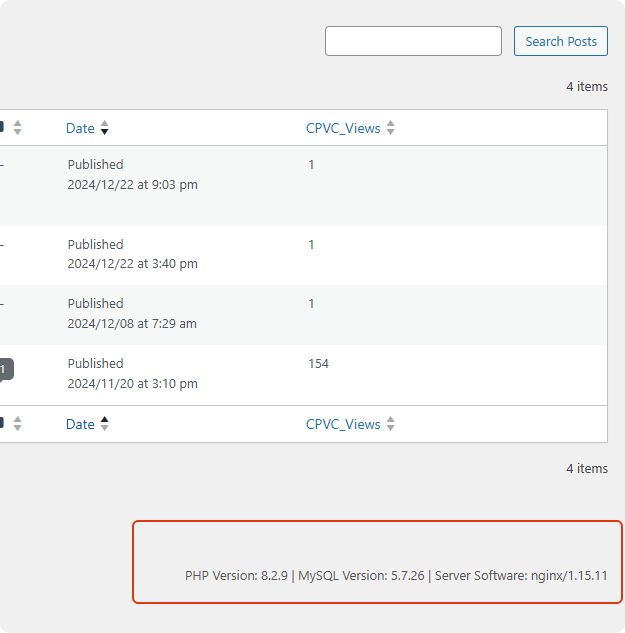
- Admin Footer
-
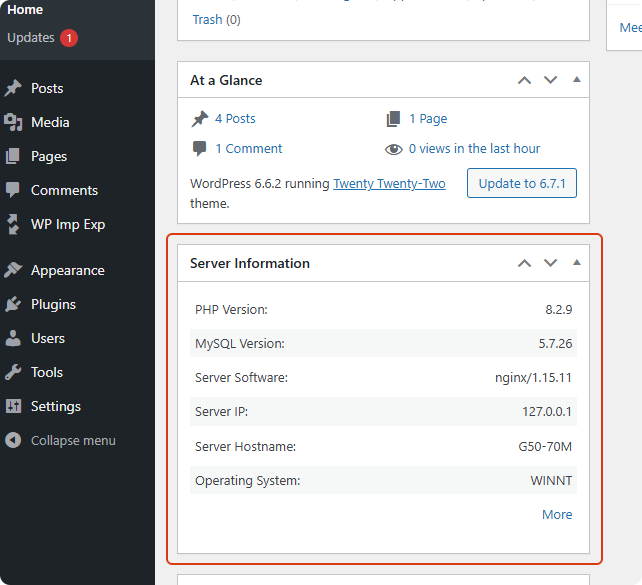
Shortcode
- PHP Version: 8.2.30
- MySQL Version: 11.4.10
- Server Software: LiteSpeed
- Server IP: 66.29.132.130
- Server Hostname: server359.web-hosting.com
- Operating System: Linux
- Multilingual Interface (7 Languages)
Main Features
Your WordPress dashboard becomes a central place for essential server insights.
Display Server Info provides multiple ways to access key server, PHP, and database details—quickly and effortlessly.
- Key Features
- Dashboard widget showing essential system info
- Top admin bar display for always-visible server status
- Footer server info for quick reference while managing your site
- Extended server details page with OS, PHP, database information
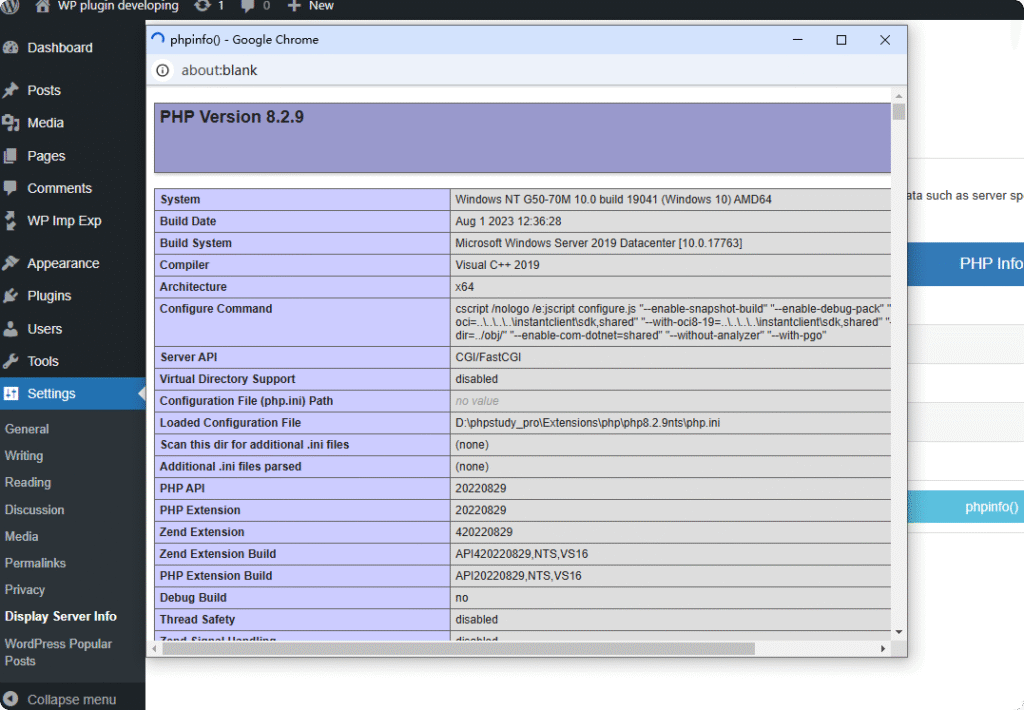
- Built-in PHP info page for troubleshooting
-
Shortcode
- PHP Version: 8.2.30
- MySQL Version: 11.4.10
- Server Software: LiteSpeed
- Server IP: 66.29.132.130
- Server Hostname: server359.web-hosting.com
- Operating System: Linux
- Cleanup on uninstall for a clean database
- Fully multilingual — 7 languages included
Why Choose Display Server Info?
A clean, lightweight, and practical server information tool designed for WordPress administrators.
Lightweight & Efficient
The plugin is optimized with clean code and minimal overhead, ensuring no impact on your site’s performance.
Designed for Administrators
All key server, PHP, and database details are displayed exactly where you need them—no more switching between panels.
Safe & Clean Uninstall
The plugin removes its settings during uninstall, leaving your WordPress database clean and untouched.
Plugin Screenshots
A quick preview of how Display Server Info integrates into your WordPress dashboard.

Get Started with Display Server Info
Install the plugin today and access essential server information right inside your WordPress dashboard.
Frequently Asked Questions
Answers to the most common questions about Display Server Info.
Q1. Does this plugin slow down my website?
Q2. Where can I see the server information after installing the plugin?
A: You can view it in multiple places:
- Dashboard widget
- Top admin bar
- Admin footer
- “More Info” page
- PHP info page
-
And via shortcode on posts or pages
Q3. Does the plugin clean up after uninstalling?
Q4. Is the plugin compatible with the latest WordPress version?
Q5. Can I display server information on the frontend?
- PHP Version: 8.2.30
- MySQL Version: 11.4.10
- Server Software: LiteSpeed
- Server IP: 66.29.132.130
- Server Hostname: server359.web-hosting.com
- Operating System: Linux
📋 Display Server Info Plugin Privacy Supplement
Last Updated: March 15, 2026
This page supplements the RobertWP General Privacy Policy with specific information about how the Display Server Info plugin handles your data.
Data Collected by This Plugin
| Data Type | When Collected | Retention Period | Notes |
|---|---|---|---|
| Anonymous Usage Stats | After you opt in via plugin settings | 180 days | Feature usage frequency, plugin version, PHP version |
| User Feedback | When you voluntarily submit feedback | 12 months | Your feedback message, optional email address. Your email, if provided, is stored using a combination of hashing and encryption to ensure its security. All data is transmitted securely (via TLS/HTTPS) and retained for a maximum of 12 months to allow us to respond to and analyze your feedback. For full details, please see our main Privacy Policy. |
| Deactivation Feedback | When you uninstall and submit a reason | 6 months | Uninstall reason, optional details |
How This Plugin Differs from Others
| Aspect | Display Server Info | Paid Plugins (e.g., with license) |
|---|---|---|
| License Activation | ❌ Not required | ✅ Required (collects domain, email) |
| Payment Processing | ❌ Not required | ✅ Processed via Paddle |
| Feature Tracking | ✅ Anonymous stats only | ⚠️ Varies by plugin |
How to Control Your Data
- In Plugin Settings: Toggle anonymous stats on/off anytime
- When Submitting Feedback: Email is completely optional
- When Uninstalling: You can skip the feedback form
- Deletion Requests: Send to unified email
support@robertwp.com
Links
- Full RobertWP.com Privacy Policy: robertwp.com/privacy-policy
- Contact for Data Requests: support@robertwp.com
About the Developer
Hi, I’m Cassian Wu.
I build lightweight and reliable WordPress plugins designed to solve real problems without unnecessary complexity.
If you find Display Server Info helpful, your support means a lot and helps keep this project actively maintained.
Support the development of RW WebP Converter Lite.
If this plugin has helped you, your small contribution keeps it actively maintained.